After building Humanizer to catch AI patterns in text, I noticed the same problem with image generation. Generic prompts produce generic results.
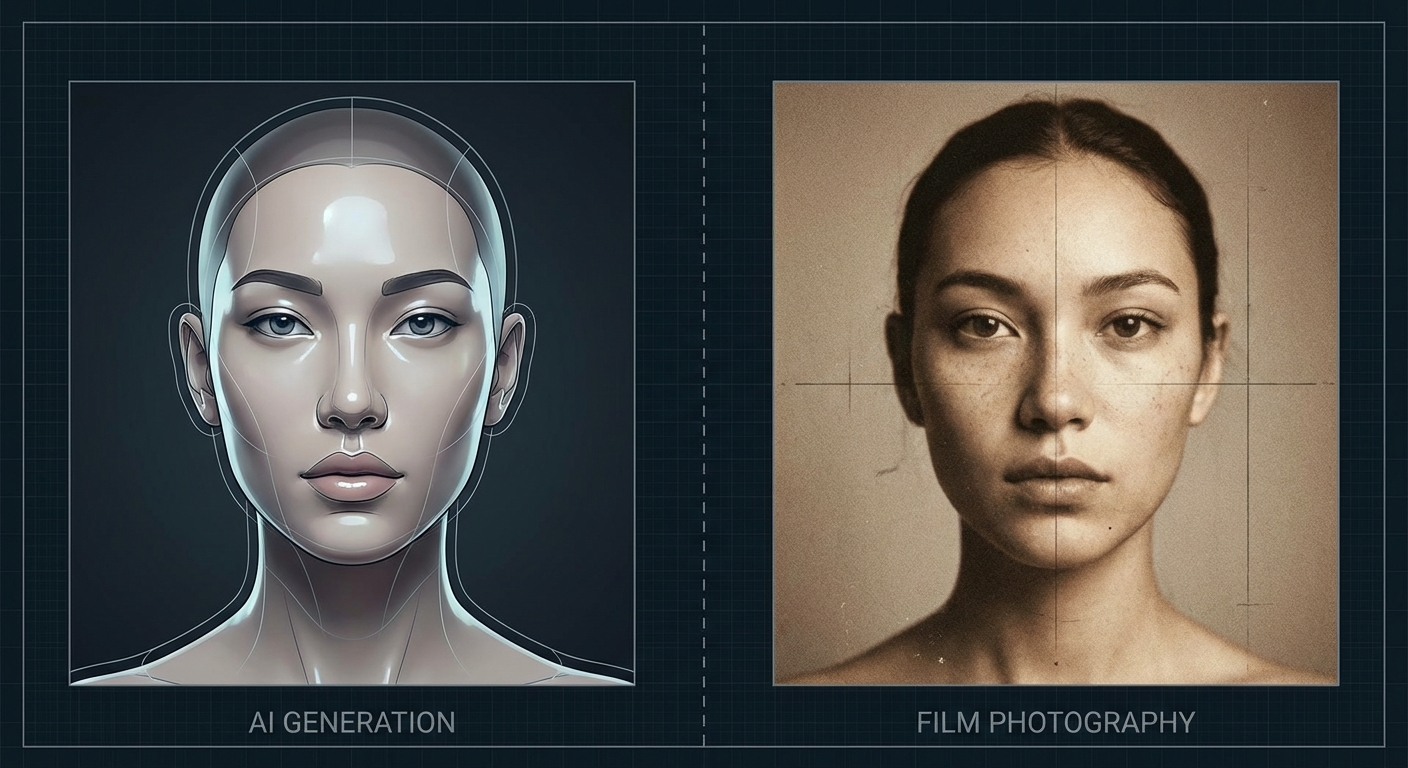
“A woman in a coffee shop” gets you that unmistakable AI look: over-smoothed skin, perfect symmetry, generic lighting, zero imperfections. It looks rendered because it is.
So I built Image Humanizer.
What it does
Feed it a basic prompt, get back one grounded in photography language:
image-humanizer transform "a woman in a coffee shop"
Before:
a woman in a coffee shop
After:
a woman in her 30s with visible laugh lines at a worn wooden table at a busy coffee shop with steamed windows, shot on Kodak Portra 400, 50mm f/1.4, golden hour side light, film grain, slight motion blur, candid framing, visible pores, natural wrinkles
The difference in output is significant. Film stocks, lens characteristics, and specific imperfections push generators toward results that look like actual photographs.
Why photography language works
AI image models are trained on captioned photos. When you reference Kodak Portra 400 or a 50mm f/1.4 lens, you’re pointing the model toward images that were described that way in training data. Those were real photos with real imperfections.
Generic prompts let the model fall back on its default aesthetic. Photography-specific language anchors it to something concrete.
Patterns it catches
The tool flags common prompt mistakes:
- Generic subjects (“a woman” → AI default face)
- Beauty modifiers (“beautiful, stunning” → over-processed skin)
- Resolution spam (“8K, 4K” → triggers over-sharpening)
- ArtStation/trending clichés (pulls toward stylized digital art)
- Missing camera specs (generic rendering)
- No imperfections (perfectly clean = AI smooth)
Modifiers it injects
Depending on your settings, the tool adds:
Camera/film: Kodak Portra 400, Fuji Superia, Leica M6, disposable camera aesthetic
Lenses: 50mm f/1.4, 85mm portrait lens, vintage glass with character
Lighting: Golden hour, overcast diffusion, harsh midday shadows, mixed practical sources
Imperfections: Film grain, light leaks, motion blur, dust, scratches
Human details: Visible pores, asymmetry, skin texture, laugh lines, environmental context
Usage
# Transform a prompt
image-humanizer transform "your prompt" --style=film --mood=natural

# Analyze what's wrong with a prompt
image-humanizer analyze "beautiful portrait, 8k, trending on artstation"

# Get suggestions without full transform
image-humanizer suggest "a man walking down the street"

# See all available modifiers
image-humanizer modifiers
Works as a CLI or as an API:
import { humanize } from 'image-humanizer';
const prompt = humanize('a man on the street');
Integrations
Like the text humanizer, I wanted this running inside my AI tools.
MCP Server works with Claude Desktop and VS Code:
{
  "mcpServers": {
    "image-humanizer": {
      "command": "node",
      "args": ["/path/to/image-humanizer/mcp-server/index.js"]
    }
  }
}
OpenAI Custom GPT gets the transformation rules baked in. Copy openai-gpt/instructions.md into a new GPT, optionally wire up the API for live analysis.
HTTP API for custom integrations:
curl -X POST http://localhost:3001/api/transform \
  -H "Content-Type: application/json" \
  -d '{"prompt": "a woman in a coffee shop"}'
Returns the transformed prompt with before/after scores.
OpenClaw skill via the included SKILL.md.
All four methods give you the same pattern detection and modifier injection.
Results
I’ve been running this on my Midjourney and DALL-E prompts for a few weeks. The outputs look less like renders and more like photos someone actually took. Still AI-generated, but the uncanny valley effect drops noticeably.
Repo is MIT licensed. Try it, break it, tell me what’s missing.